An internal AI playground for sharing prototypes
This case study is password protected
Enter the password to view it.
- Role
- Senior Design Technologist (Design Engineer)
- Company
- Workiva
- Year
- 2026
The impact
Designers across Workiva had no shared place to submit a prototype, see what other people were building, or find the AI reading everyone kept rediscovering separately - work lived scattered across local files, one-off Figma links, and whoever’s laptop it happened to be built on. On my own initiative, I built an AI playground: an internal site where people across the company can submit an HTML prototype, comment on each other’s work, and browse a curated set of links to AI writing and tools worth knowing about - all in one place, built specifically to pressure-test Workiva’s new AI-native design system together. In the first few weeks, it drew 24 submitted prototypes from 13 contributors across design, engineering, and product - adoption nobody was required to show up for, from a tool nobody was told to use.
A shared place to submit, discuss, and learn from prototypes
Before this, showing a prototype meant a demo you had to schedule, or a link that only worked on your machine, with no way for someone else to leave feedback where the work actually lived. The playground removes that: it’s a single internal site - hosted on GitHub Pages - where submitted prototypes sit alongside a curated set of external AI resources, and people can comment directly on the work. That’s the shift I think this kind of role is actually about: less being the person people wait on to see what’s possible, more building the infrastructure that lets anyone submit their work, get feedback on it, and have it stand on its own.
I considered building the playground around a single AI design tool specifically, rather than a plain HTML submission format - but the team was already prototyping with a mix of different AI tools, and standardizing on one would have meant asking people to change how they already worked just to participate. A tool-agnostic format - any HTML, from anywhere - meant nobody had to switch tools to submit.
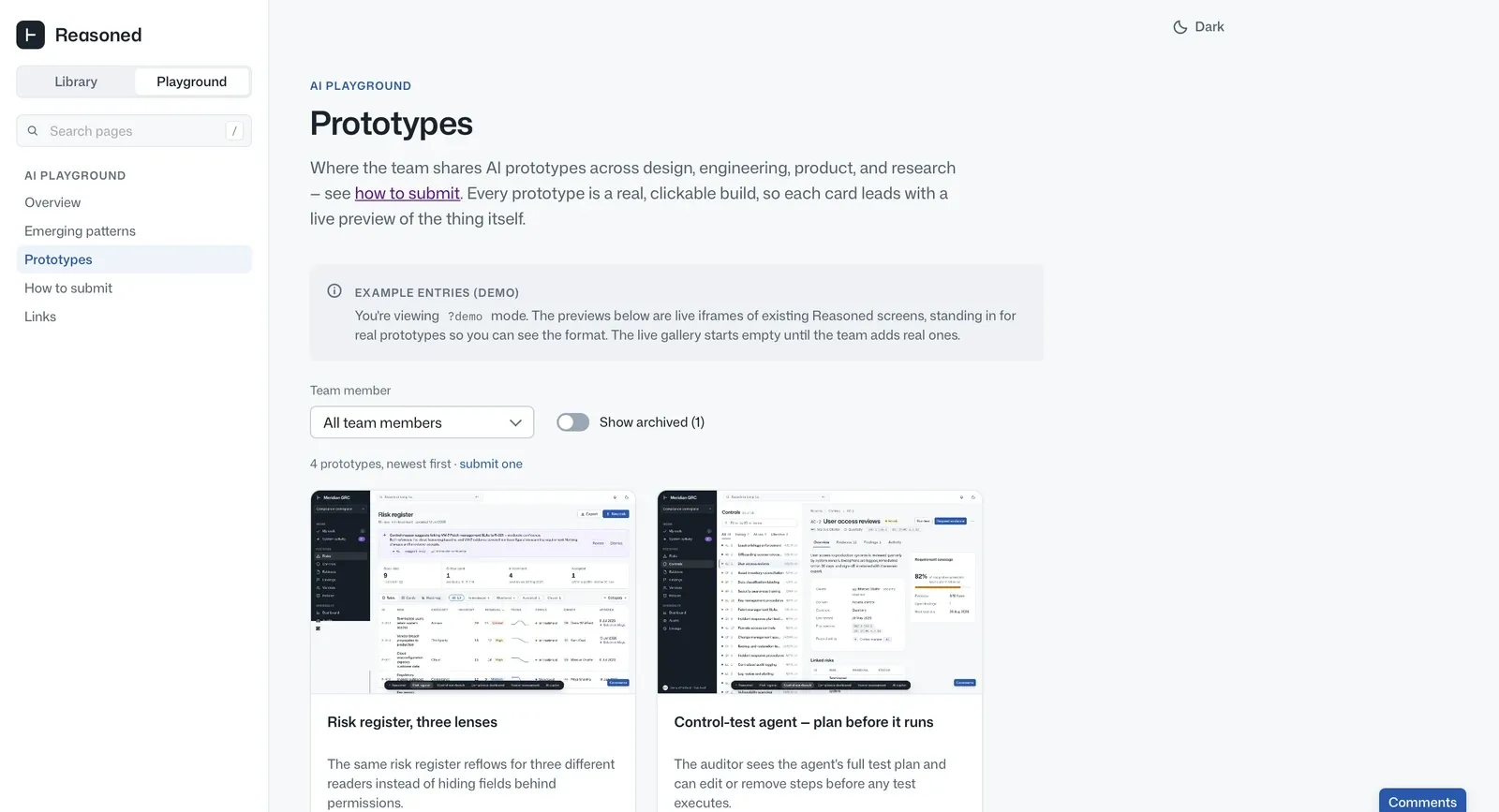
Feedback happens on the work itself, not in a separate thread someone has to go find - comments sit directly on the prototype they’re about.
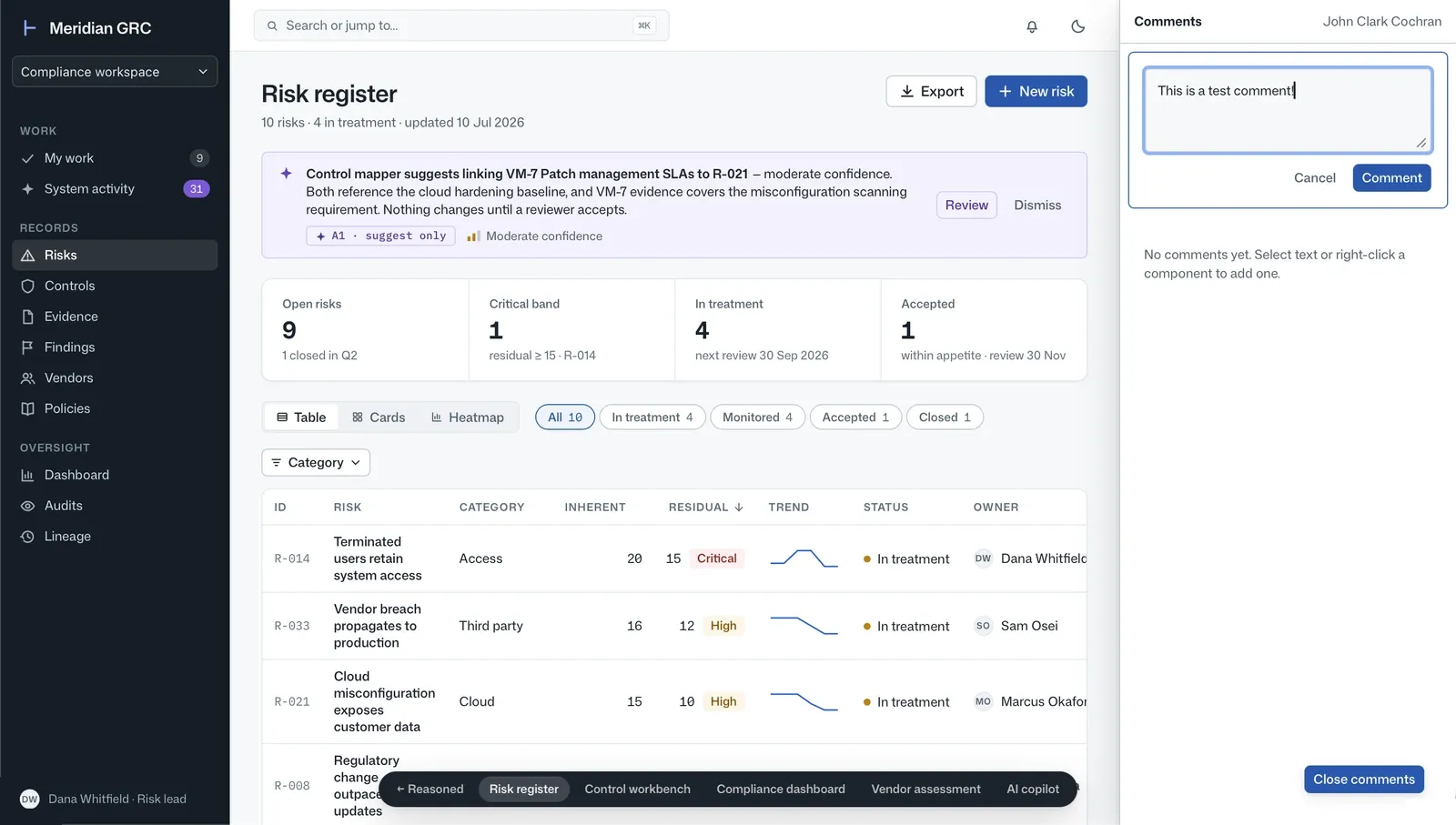
The site itself is static, hosted on GitHub Pages - which meant comments needed somewhere to actually live, since a static site has no backend of its own to write to. I worked with an engineering partner to build a lightweight service on AWS to store and serve them, so the comment panel could stay fast and simple on the front end while the actual persistence happened somewhere durable.
(The playground itself isn’t embedded here the way the L5 prototype is elsewhere on this site - it’s full of real internal submissions that aren’t mine to share outside Workiva.)
Making the case for cross-discipline, not just design
The playground almost stayed a design-only tool. The early assumption was that this was a design deliverable, for designers - but once I showed how easy submitting actually was, I pushed to open it up and actively encouraged people outside of design to submit too. That’s what got engineering and product contributing prototypes alongside design, instead of the playground becoming one more design-team artifact nobody else touched.
Built against Workiva’s new design system, not a guess at it
A design system meant to power agentic UI can’t just be a static component library people reference and hope they’ve matched - it has to be something people build against directly. So prototypes submitted to the playground are built with Workiva’s new AI-native design system’s real assets as they exist that week, which doubles the playground as a stress test: a gap between the system and a real use case shows up immediately as something that doesn’t work, instead of surfacing months later in a shipped feature.
That stress-testing has already fed into real decisions, not just bug reports: submissions and the discussion around them have shaped conversations about what’s actually working in the current design system, and which new components the AI-native system still needs to build.
Getting a prototype in works like shipping any other change: someone submits their HTML prototype as a pull request to the repo, and once it’s merged it’s live on the site.
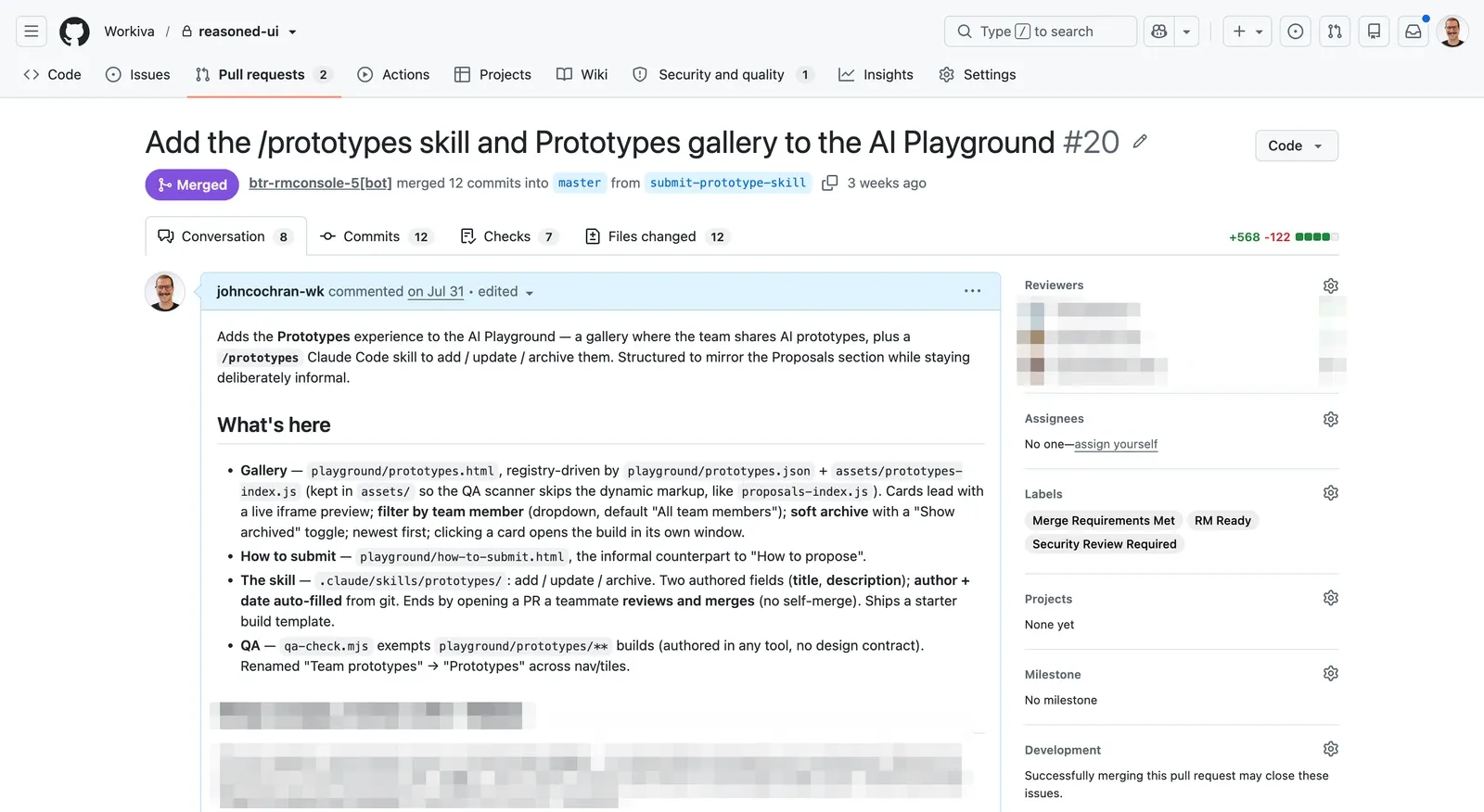
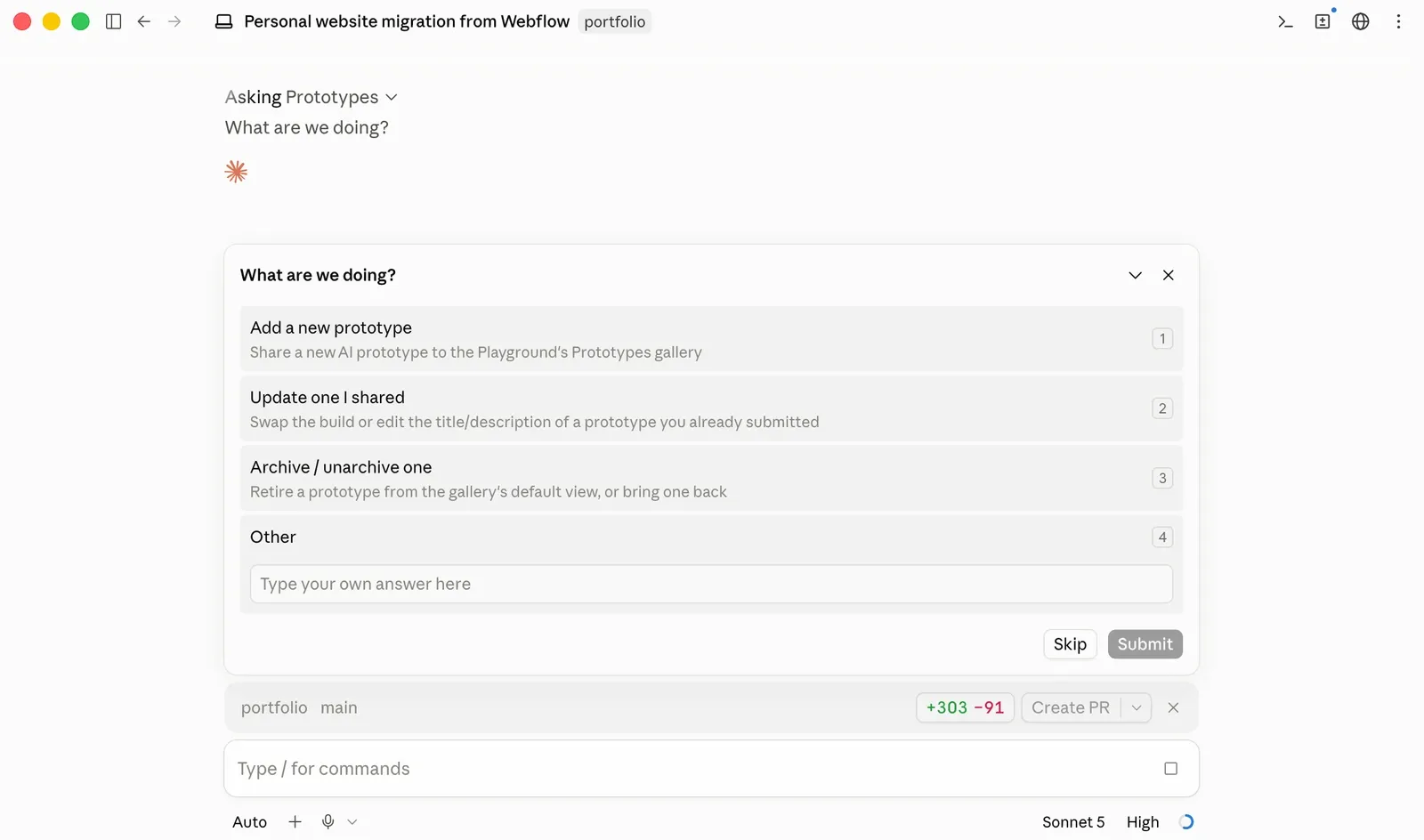
To make starting one easier, I built a Claude Code skill - /prototypes - that does the submission work for you. Type /prototypes (or just say “submit a prototype”), and it asks two things: a title, in a phrase rather than a feature name, and a one-line description of what the prototype explores or the question it raises. Then it asks how you’re getting the build - paste one you already have, link to one hosted elsewhere, or start from a blank template - before dropping it into the gallery, registering it, and opening the pull request, all behind one confirmation. You don’t need to be an engineer to use it: it hands you a shareable preview link immediately, and a teammate still has to review and merge it before it goes live, same as any other change to the repo.
Reflection
What started as an internal tool has held up past the exploratory phase: it’s being used across disciplines, not just by designers, and the design system’s assets are getting pressure-tested by real submissions instead of my own alone. What I’m confident stayed true: giving people a real place to submit, discuss, and learn from prototypes changes who gets to show their work - and that turned out to matter as much as any single prototype that came through it, including my own.